A free, open-source photo organizer for cleaning up large image libraries before importing them into Lightroom, Photos, or any other professional photo workflow. Written in C# (.NET / WinForms), it runs cross-platform on Windows and OS X (via Mono).
Image Library Renamer batch-renames photo folders using EXIF capture dates and file timestamps, so thousands of inconsistently named folders end up sorted and dated correctly — no manual file organization required. It's especially useful when migrating a Picasa photo library to Lightroom or another DAM tool.
Safe to run repeatedly on the same folders: each tool detects folders that have already been renamed or dated and skips them.
- Folder Renamer — batch-renames image folders based on the oldest EXIF capture date found in each folder, falling back to file creation/modified/accessed dates when no EXIF data is present. Supports recursive folder scanning, skipping already-dated or numeric folder names, and a preview/test mode that logs planned renames without touching the filesystem.
- Picasa Embedder — reads dates out of legacy
.picasa.inifiles and applies them as file creation dates, so metadata isn't lost when leaving Picasa. - Folder Name Parser — reads a date already present in a folder name and applies it to the creation/modified dates of the files inside, correcting file timestamps that drifted from the folder's actual date.
Recommended order when migrating a library to Lightroom: Picasa Embedder → Folder Renamer → Folder Name Parser.
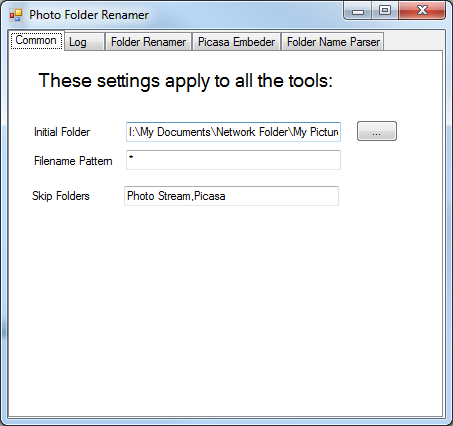
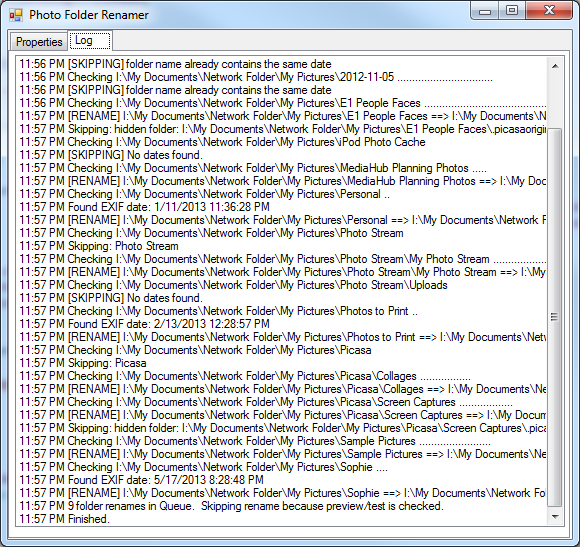
Works on OS X too (via Mono):

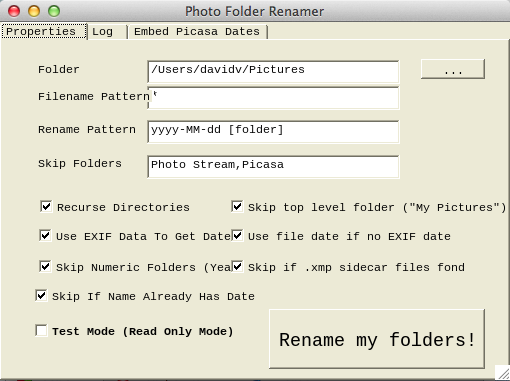
Windows
- Open
ImageLibraryRenamer.slnin Visual Studio. - Build the
ImageLibraryRenamerproject (targets .NET Framework 4.0, WinForms). - Run the resulting
ImageLibraryRenamer.exe.
OS X / Linux (via Mono)
- Install Mono.
- Build with
xbuild ImageLibraryRenamer.sln(or open the solution in MonoDevelop/Visual Studio for Mac). - Run with
mono ImageLibraryRenamer.exe.
- Launch the app — it defaults to your Pictures folder, or pick a different image library folder.
- Choose a tab: Folder Renamer, Picasa Embedder, or Folder Name Parser.
- Configure options (recursive scan, EXIF vs. file date, skip patterns, preview/test mode) and click the corresponding action button.
- Review the log output, then confirm the batch rename/update when prompted.
Always run with Preview checked first on an important library, and back up your files before doing bulk renames.
MIT — © David Veksler