
A lightweight browser extension that adds a beautiful one click streaming overlay directly inside IMDb.
Features • Installation • Screenshots • Features • How to Use


IMDb.Play.Tutorial.mp4
Tip
New to manual Chrome extensions? Watch this short installation guide.
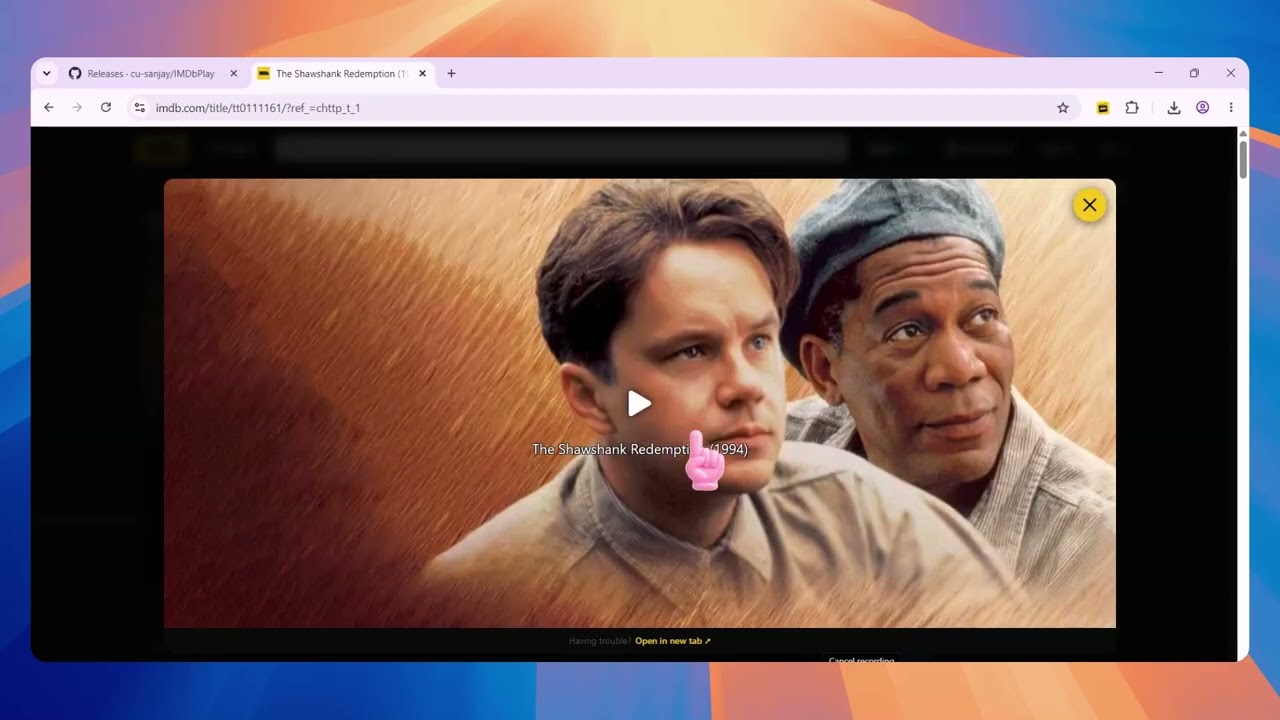
Click the preview above to watch on YouTube.
Important
Firefox and Microsoft Edge users can install IMDbPlay directly from their official Add-on stores. Manual installation is only required for Google Chrome and other Chromium browsers that do not allow this extension in the Chrome Web Store.
Warning
Why isn't IMDbPlay available on the Chrome Web Store?
Google rejected the extension because of Chrome Web Store policies regarding copyrighted and streaming related content. Chrome users can still install IMDbPlay safely by enabling Developer Mode and loading the extension manually.


IMDb Integration Beautiful Fullscreen Player


Episode Selector Subtitles & Quality Controls
- Watch movies and TV shows directly from IMDb.
- Native episode selector for TV series.
- Beautiful fullscreen overlay that matches IMDb's design.
- One click playback.
Ctrl/Cmd+ Click opens the player in a new tab.- Instant close with the
ESCkey. - No account required.
- Lightweight and privacy friendly.
Note
Recommended
- Firefox → Install from the Mozilla Add-ons store.
- Microsoft Edge → Install from the Microsoft Edge Add-ons store.
- Google Chrome, Brave, Vivaldi and other Chromium browsers → Follow the guide below.
- Download the latest Chrome ZIP from the Releases page.
- Extract the archive to any permanent folder.
- Open
chrome://extensions. - Enable Developer mode.
- Click Load unpacked.
- Select the extracted IMDbPlay folder.
- IMDbPlay is now ready to use.
Prefer using Tampermonkey instead of an extension?
- Install Tampermonkey.
- Install the IMDbPlay Userscript from the button at the top of this README.
- Open any IMDb movie or TV show.
- Click the yellow Play button.
- The player opens instantly inside IMDb.
Select the season and episode directly from the player.
Hold Ctrl (Windows/Linux) or Cmd (macOS) while clicking the Play button.
- Press ESC
- Click the × button
- Click outside the player
Tip
For the cleanest viewing experience, pair IMDbPlay with uBlock Origin. It helps block redirects and advertisements that may originate from third party video providers.
- Download the latest ZIP.
- Replace your existing extension files.
- Open
chrome://extensions. - Click the Reload button on IMDbPlay.
Note
Firefox and Microsoft Edge users receive updates automatically through their respective Add-on stores.
Note
IMDbPlay is an open source project created for educational and experimental purposes.
Important
IMDbPlay does not host, upload, store, or distribute any movies, TV shows, or media files. Playback is provided entirely by third party sources that are outside the control of this project.
Warning
Users are responsible for complying with their local laws and the terms of service of the websites they use. IMDb and all related trademarks remain the property of their respective owners.