


A VS Code extension for moving code straight from one editor to another. When you share, your active file gets pushed to a Firebase Realtime Database under a short, randomly generated team code. Whoever types that code into their VS Code gets the file dropped into their editor. No accounts, no links, nothing to paste into a chat app.
- Send the current editor's contents right from VS Code
- No logging in, and no jumping over to WhatsApp or Gmail to send a link
- One short team code covers both sending and receiving
- Good for those quick, one-off "here, take this file" moments
There are two commands:
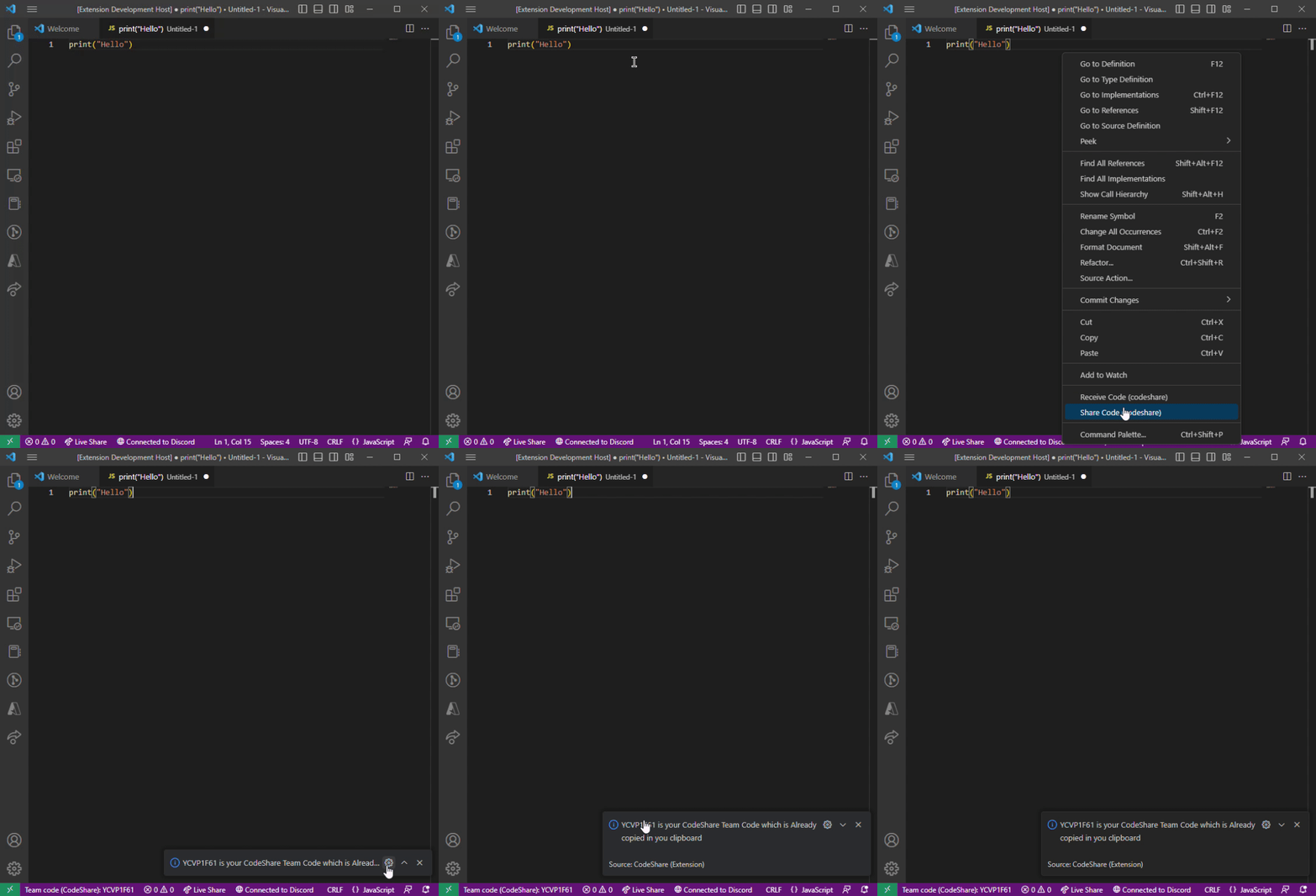
- Share Code grabs the text in your current editor, writes it to Firebase under a random 8-character team code, shows you the code, and copies it to your clipboard.
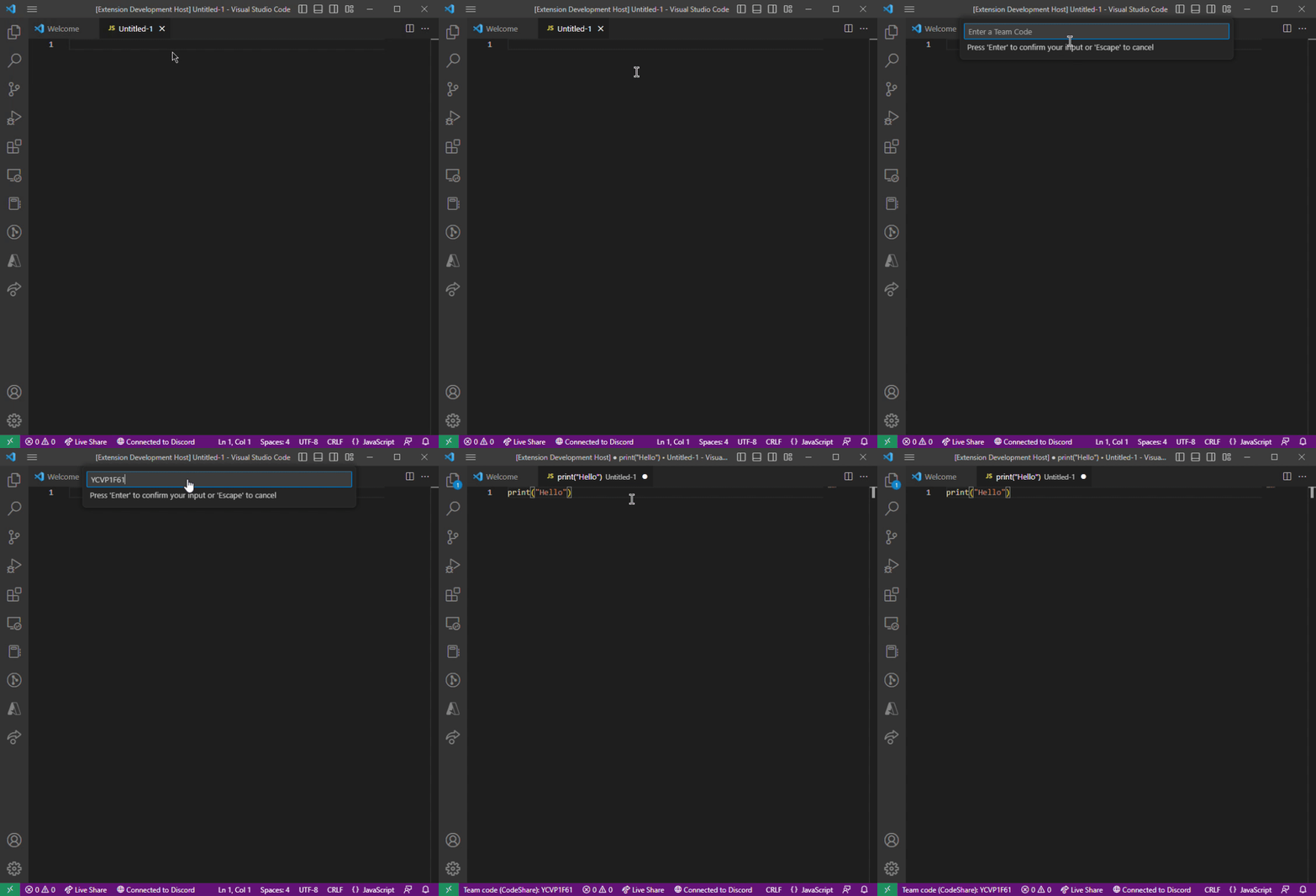
- Receive Code asks for a team code, pulls the matching code out of Firebase, and drops it in at your cursor.
Both commands are available from the Command Palette and the editor's right-click context menu.
-
Install dependencies:
npm install
-
Add your Firebase credentials. Copy the example config and fill in your project's values:
cp firebase-config.example.js firebase-config.js
firebase-config.jsis git-ignored so your credentials stay out of version control.
- Open this folder in VS Code and press
F5to launch an Extension Development Host with CodeShare loaded. - In the new window, open a file and run Share Code (codeshare) or Receive Code (codeshare) from the Command Palette (
Ctrl+Shift+P/Cmd+Shift+P) or the editor context menu.
To build a .vsix you can install locally or publish:
npm install -g @vscode/vsce
vsce package
Then in VS Code run Extensions: Install from VSIX... and select the generated file.
Released under the MIT License.